Free AI Video Generator in 2026: Daily Credits Compared (Dreamina, PixVerse, Kling and More)
ScoviAI TeamUpdated 5 min read
The short answer
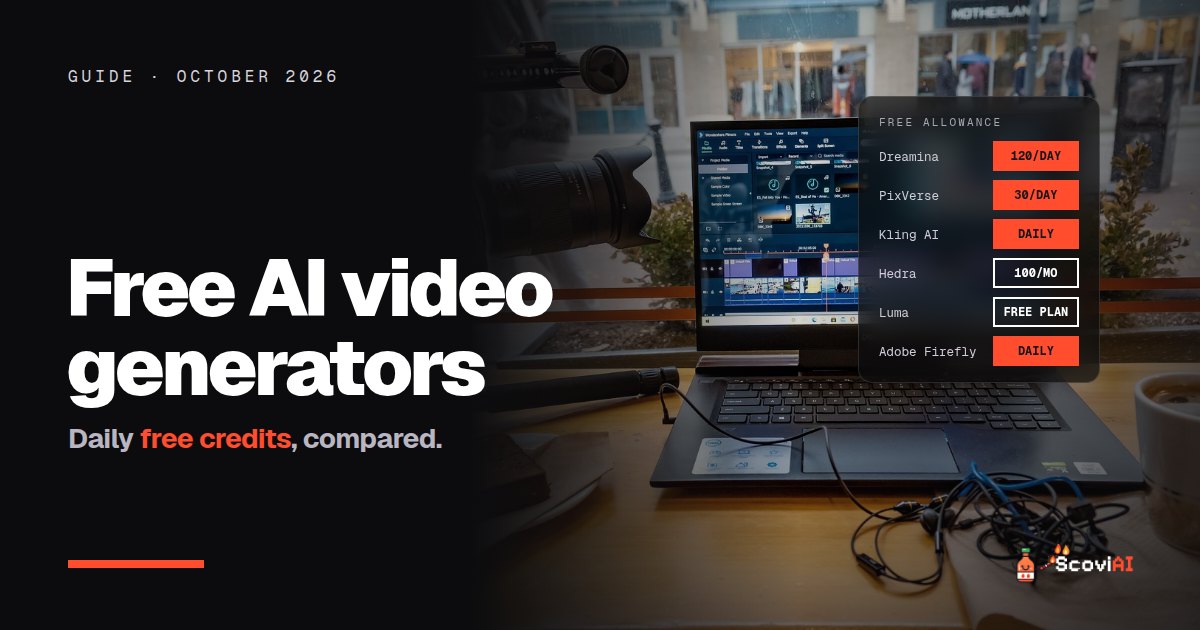
Dreamina gives 120 free credits every day, PixVerse adds 30 a day, and Kling, Hailuo and Luma let you generate for free with watermarks. Hedra gives 100 free credits a month for talking-avatar videos.The best free AI video generator in 2026 depends on how often you create: Dreamina gives 120 free credits every day, PixVerse adds 30 free credits a day (plus 60 when you sign up), and Kling, Hailuo and Luma let you generate for free with watermarks. For talking-avatar videos, Hedra gives 100 free credits a month. Free plans almost always add a watermark and limit resolution, so they're for testing ideas, social drafts and learning, not for client work.
Quick answer: for the most free generations, use Dreamina's daily credits. For quick effects and templates, try PixVerse. To test top-quality models before paying, use the free tiers of Kling, Hailuo and Luma, then subscribe to the one you like; Kling's first month is $6.99.
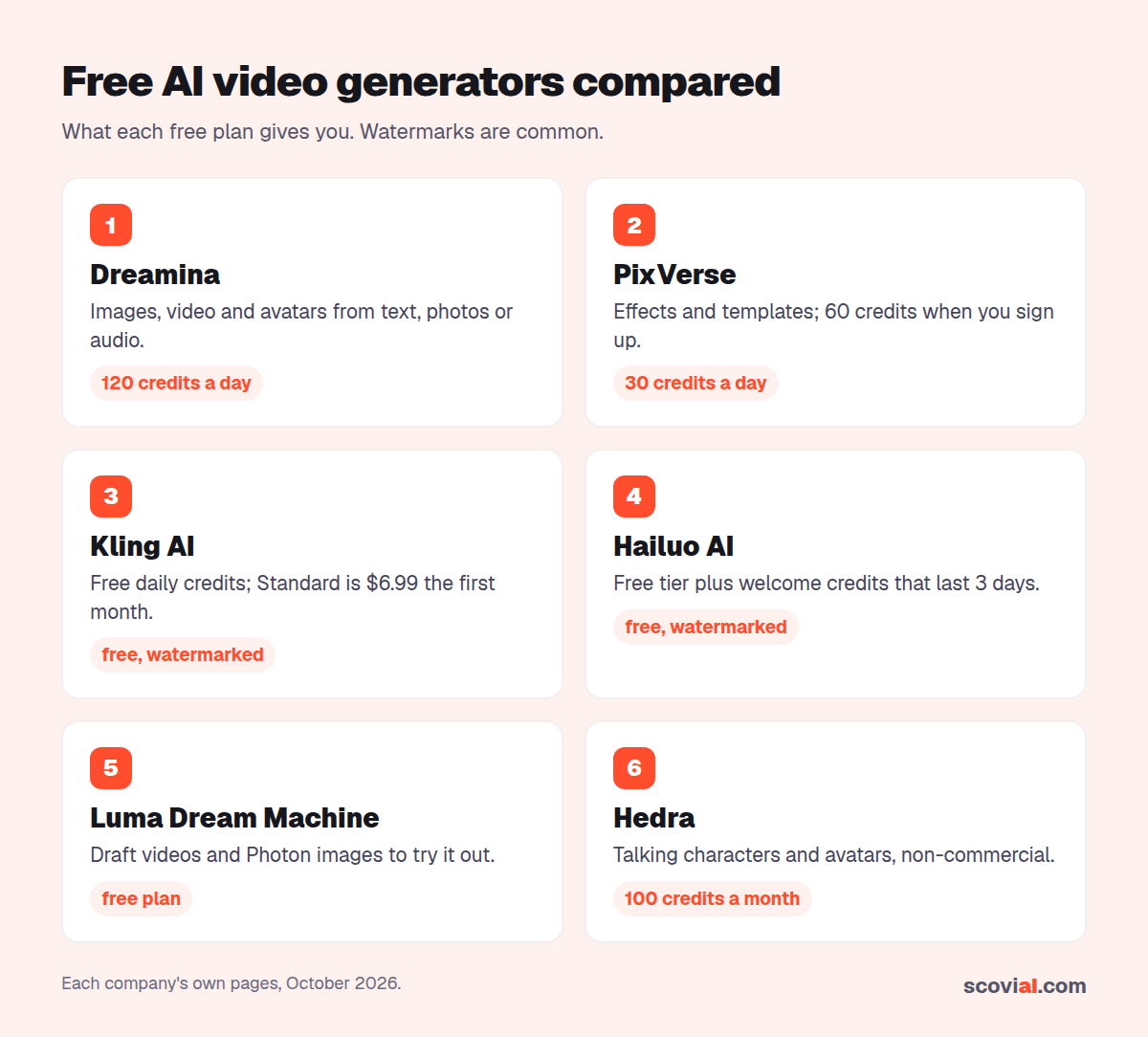
Free AI video generators compared (October 2026)
| Generator | Free allowance | Watermark on free plan? | Cheapest paid option |
|---|---|---|---|
| Dreamina | 120 credits a day | Check per model | Paid plans available |
| PixVerse | 60 credits at sign-up + 30 a day | Yes | Paid plans remove it |
| Kling AI | Free daily credits | Yes | $6.99 first month, then $8.80 |
| Hailuo AI | Free tier + welcome credits (expire in 3 days) | Yes | $14.99 a month |
| Luma Dream Machine | Free plan for draft videos and images | Yes | $9.99 a month (Lite) |
| Hedra | 100 credits a month | May be | Paid plans |
| Adobe Firefly | Limited free generations every day | Adobe's rules apply | Firefly Standard |
Credit costs change with model, length and resolution, so treat every free allowance as a budget, not a fixed number of videos.
Dreamina: the biggest daily free allowance
Dreamina, from the makers of CapCut, generates images, videos and talking avatars from text, photos or audio, using models such as Seedream and Seedance. Free users get 120 credits every day. How many clips that buys depends on the model, duration and resolution you choose, but a daily budget that refills is far more useful than a one-off trial.
Best for: experimenting every day without paying.
ADVERTISEMENT
PixVerse: daily credits for effects and templates
PixVerse turns text and images into short videos with effects and templates. New users get 60 credits on sign-up, and the free plan adds 30 credits every day. Daily credits reset at midnight UTC and expire if you don't use them. Free videos carry a watermark; paid plans add watermark-free HD.
Best for: quick, fun social clips and trending effects.
Kling, Hailuo and Luma: try the top models for free
These three are among the strongest video models, and each lets you test before paying:
- Kling AI lets you generate for free with daily credits (watermarked). When you're ready, the Standard plan costs $6.99 for the first month, then $8.80 a month, with 660 credits.
- Hailuo AI from MiniMax has a free tier with watermarked downloads, plus a welcome pack of credits for new accounts that expires 3 days after you get it, so use it right away. Paid plans start at $14.99 a month.
- Luma Dream Machine has a free plan for Photon images and draft-resolution Ray videos, watermarked and meant for trying things out. Paid plans start at $9.99 a month, and yearly billing saves up to 20%.
Best for: comparing quality before you commit to a subscription.
Hedra: free talking-character videos
Hedra specializes in talking characters and avatars: give it a face and a voice, and it animates them. Free accounts get 100 credits every month. Free outputs may be watermarked and are for non-commercial use.
Best for: explainer clips, characters and lip-synced avatars.
Adobe Firefly: free generations with an Adobe account
Anyone with a free Adobe account gets a limited number of free generations every day across Firefly, Adobe Express and Photoshop on the web. Firefly is a good choice if you already use Adobe apps and want to keep everything in one place.
What free AI video plans don't include
- No watermark-free exports on most free plans.
- Lower resolution and shorter clips than paid plans.
- Slower queues at busy times.
- Limited commercial rights: check each tool's terms before using a free video in an ad or for a client.
How to get the most from free AI video generators
- Draft for free, finish on paid. Explore ideas on free credits, then pay for one month to render the final version.
- Use daily credits every day. Dreamina's allowance is given daily, and PixVerse's daily credits expire at the end of each day.
- Start from an image. Image-to-video usually gives more control than text alone, and you can make the image for free with tools like Leonardo.Ai.
- Keep clips short. Shorter generations cost fewer credits, and you can join them in a free editor.
- Pay yearly only for your favorite. Once you know which model you like, yearly plans (like Pika's, 20% off) save money.
A free workflow for a 30-second AI video
- Write a short script with a free chatbot: three to five shots of five to eight seconds each.
- Make a key image for each shot with a free image tool such as Leonardo.Ai or Adobe Firefly.
- Animate each image with your daily free credits in Dreamina or PixVerse; test the hardest shot in Kling or Luma's free tier.
- Add a voiceover and captions in a free editor.
- Upgrade for one month only if the final version needs to be watermark-free.
Common mistakes with free AI video generators
- Spending all your credits on long clips. Short clips cost less and are easier to fix.
- Ignoring licenses. Free plans often limit commercial use; read the terms before using a video for a client or an ad.
- Letting welcome credits expire. Hailuo's welcome credits last only three days.
- Paying yearly too early. Try several models for free first, then commit to your favorite.
Free vs paid: when should you upgrade?
Upgrade when one of these is true: you need watermark-free videos for a client or an ad, you run out of daily credits several days a week, or you need higher resolution and longer clips than the free plan allows. Until then, the free plans are enough to learn prompting, test models and make drafts.
When you do upgrade, start with the cheapest monthly plan of the model you liked most, such as Kling's $6.99 first month or Luma's $9.99 Lite plan, and cancel if you stop using it. Yearly plans only pay off once AI video is part of your regular work.
Which free AI video generator should you use?
- Most free videos: Dreamina (120 credits a day).
- Social effects: PixVerse (30 credits a day).
- Best quality to test: Kling, Hailuo or Luma free tiers.
- Talking avatars: Hedra (100 credits a month).
- Adobe users: Firefly.
When you're ready to pay, our AI video generator pricing guide compares Runway, Kling, Luma and Pika plan by plan, and our image & video deals list current discounts.
Sources: Dreamina; PixVerse plans; Kling AI plans; Hailuo AI; Luma pricing; Hedra pricing; Adobe Firefly; checked in October 2026.
ADVERTISEMENT
Frequently asked questions
›What is the best free AI video generator?
For the most free generations, Dreamina gives 120 credits every day. PixVerse adds 30 free credits a day. To test the strongest models, use the free tiers of Kling, Hailuo and Luma.
›Are there free AI video generators without a watermark?
Most free plans add a watermark. Paid plans remove it; Kling's Standard plan costs $6.99 for the first month and Luma's Lite plan $9.99 a month.
›How many videos can I make with free credits?
It depends on the model, length and resolution. Treat daily credits as a budget: short clips cost less, and PixVerse's daily credits expire if you don't use them.
›Can I use free AI videos commercially?
Check each tool's terms. Some free plans, like Hedra's, are for non-commercial use only, and watermarks are common.
›Is there a free AI avatar video generator?
Yes. Hedra's free plan gives 100 credits a month for talking-character videos, and Dreamina can make talking avatars with its daily free credits.
Written by the ScoviAI team. We check prices on each seller's own pricing page and update our guides when plans change. Some links may be affiliate links; they never change our verdicts. How we work
Live deals for the tools in this guide
Adobe Firefly: free daily AI image generations
Adobe Firefly · Image & Video ·
Luma Dream Machine free plan: try Photon images and Ray draft videos for $0
Luma Dream Machine · Image & Video ·