AI Video Generator Pricing in 2026: Runway vs Kling vs Luma vs Pika (and How to Pay Less)
ScoviAI Team6 min read
The short answer
The cheapest paid AI video plans start around $7–10 a month (Kling, Pika, Luma). Runway costs $12 a month on yearly billing but is the most complete studio. Kling, Luma and Hailuo all let you generate watermarked videos for free first.AI video generator pricing is confusing on purpose: every tool sells "credits", the credits buy different things, and the cheapest plan is often only cheap for the first month. We went through the official pricing pages of the most popular tools and wrote down what you actually pay, what the free plans really give you, and the simplest ways to pay less.
Quick verdict: for the lowest entry price, start with Kling or Pika (around $7–10 a month). For the most control in a professional workflow, Runway at $12 a month on yearly billing is the safe pick. If you just want to try AI video for free, Hailuo, Kling and Luma all let you generate watermarked clips without paying.
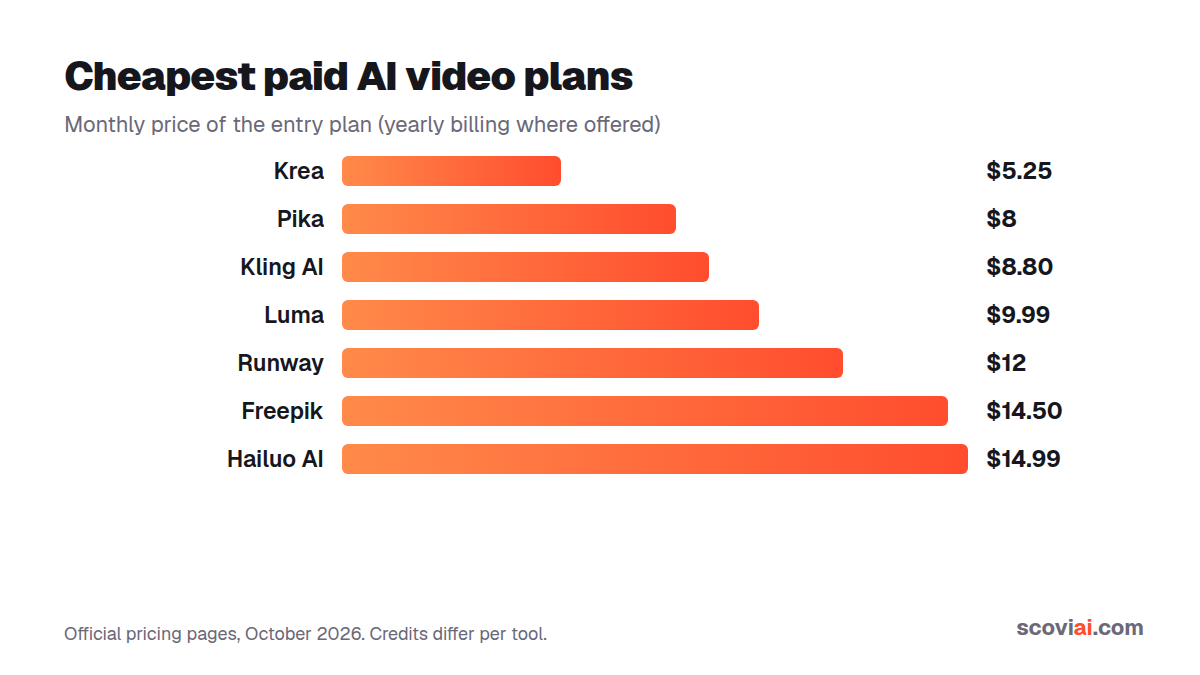
AI video generator pricing at a glance
All prices are in US dollars for the cheapest paid plan, taken from each tool's own pricing page. "Yearly" means the monthly price when you pay for a full year up front.
| Tool | Free plan | Cheapest paid plan | Paid yearly | What you get |
|---|---|---|---|---|
| Kling AI | Daily free credits (watermarked) | $8.80/mo ($6.99 first month) | — | 660 credits a month |
| Pika | Yes | $10/mo | $8/mo | 900 credits a month |
| Luma Dream Machine | Yes (watermarked drafts) | $9.99/mo (Lite) | Up to 20% off | Ray video + Photon images |
| Runway | 125 one-time credits | $15/mo | $12/mo | 625 credits a month |
| Hailuo AI | Yes (watermarked) + welcome credits | $14.99/mo | — | Watermark-free downloads |
| Freepik | Up to 20 AI images a day | $20/mo | $14.50/mo | 20,000 AI credits + stock library |
| Krea | 100 compute units a day | $9/mo | $5.25/mo | 5,000 compute units a month |
| Higgsfield | 1-day trial (card needed) | Plus (see site) | Ultra $99/mo | Access to 20+ models in one place |
Prices change often. We re-check them regularly, and every live discount is listed on the AI video deals page.
Why credits make AI video pricing hard to compare
A credit is not a second of video. Each tool charges a different number of credits depending on the model, the resolution, the clip length and whether you use a "fast" or "high quality" mode. A 5-second clip on a premium model can cost several times more credits than the same clip on a lighter model inside the same app.
That is why we compare entry prices and free allowances instead of pretending there is a single "cost per second". Our advice:
- Try the free plan first with the exact type of clip you need (talking head, product shot, cinematic scene).
- Count how many usable clips you get from the free credits. That tells you far more than the marketing table.
- Only then pick a monthly plan, and switch to yearly billing once you know you'll use it every month.
Free AI video generators: what you really get
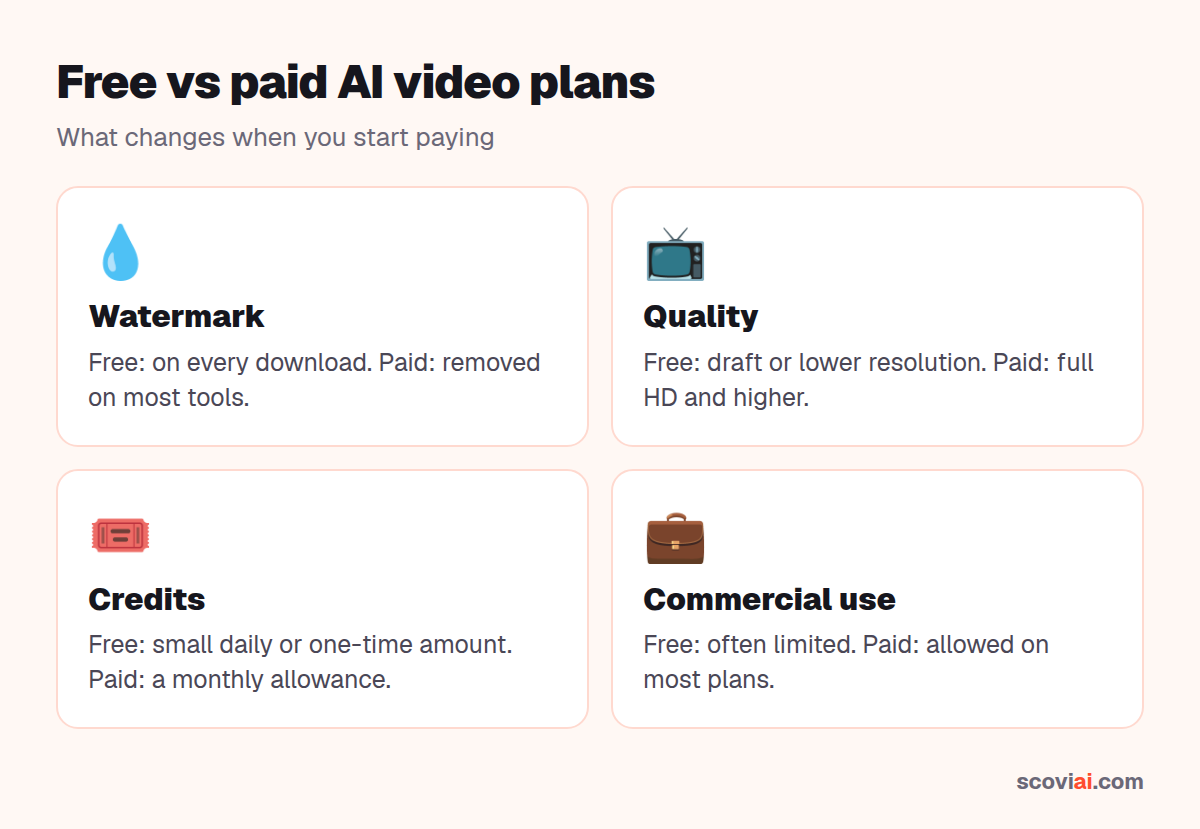
"Free" in AI video almost always means three things: a watermark on downloads, lower resolution or draft quality, and a small number of credits that refill daily or not at all. Runway's 125 free credits are a one-time gift, while Kling's free credits refill every day, which makes Kling the better free option if you want to keep experimenting for weeks. Free outputs are fine for testing prompts and storyboards, but not for client work or ads.
Kling AI: the cheapest way to start
Kling is the lowest-priced paid option among the big names. The Standard membership is $8.80 a month with 660 credits, and new subscribers can get the first month for $6.99. Before paying, you can generate with daily free credits; those videos carry a watermark.
Best for: creators on a budget who want strong image-to-video results and don't mind credits that reset monthly.
Pika: low price, playful effects
Pika is built for quick, eye-catching social clips, including its one-click "Pikaffects". Starter is $10 a month or $8 a month on yearly billing with 900 credits (see the deal). Every Pika plan is 20% cheaper on yearly billing.
Best for: TikTok, Reels and Shorts creators who want fun effects more than cinematic control.
Luma Dream Machine: cinematic shots, free to test
Luma Dream Machine has a free plan for trying its Ray video model in draft quality (watermarked), plus Photon image generation. Paid plans start at $9.99 a month (Lite) on the web, and yearly billing saves up to 20%.
Best for: filmmakers and designers who want keyframes and camera control.
Runway: the professional's choice
Runway costs a little more but is the most complete studio: Gen-4 video models, editing apps and workflows in one place. Standard is $15 a month, or $12 a month billed yearly, with 625 credits a month (deal). The free plan gives a one-time 125 credits that don't expire, enough for a few test clips.
Best for: agencies, editors and anyone mixing AI shots with real footage.
Hailuo AI and Higgsfield: free tier vs. all-in-one
Hailuo AI (from MiniMax) lets you generate videos for free with a watermark, and new accounts get a welcome pack of credits that expires after 3 days. Paid plans start at $14.99 a month and remove the watermark.
Higgsfield takes a different approach: one subscription for 20+ image and video models from different labs. You can try its All Unlimited access for 24 hours (trial deal), but a card is required and it turns into a paid plan unless you cancel. Its top Ultra plan drops from $129 to $99 a month on yearly billing.
Cheaper alternatives for marketing and avatar videos
If you need finished marketing videos rather than cinematic clips, a different kind of tool is often better value:
- Avatar presenters: HeyGen Creator is $29 a month or $24 billed yearly, and Synthesia Starter drops from $29 to $18 a month on yearly billing.
- Script-to-video: invideo AI Plus is 40% off on yearly billing ($36 a month per seat).
- Editing and captions: CapCut Pro is $19.99 a month or $179.99 a year in the US.
- Long video to shorts: OpusClip Pro is half price on yearly billing ($14.50 a month).
How to pay less for AI video
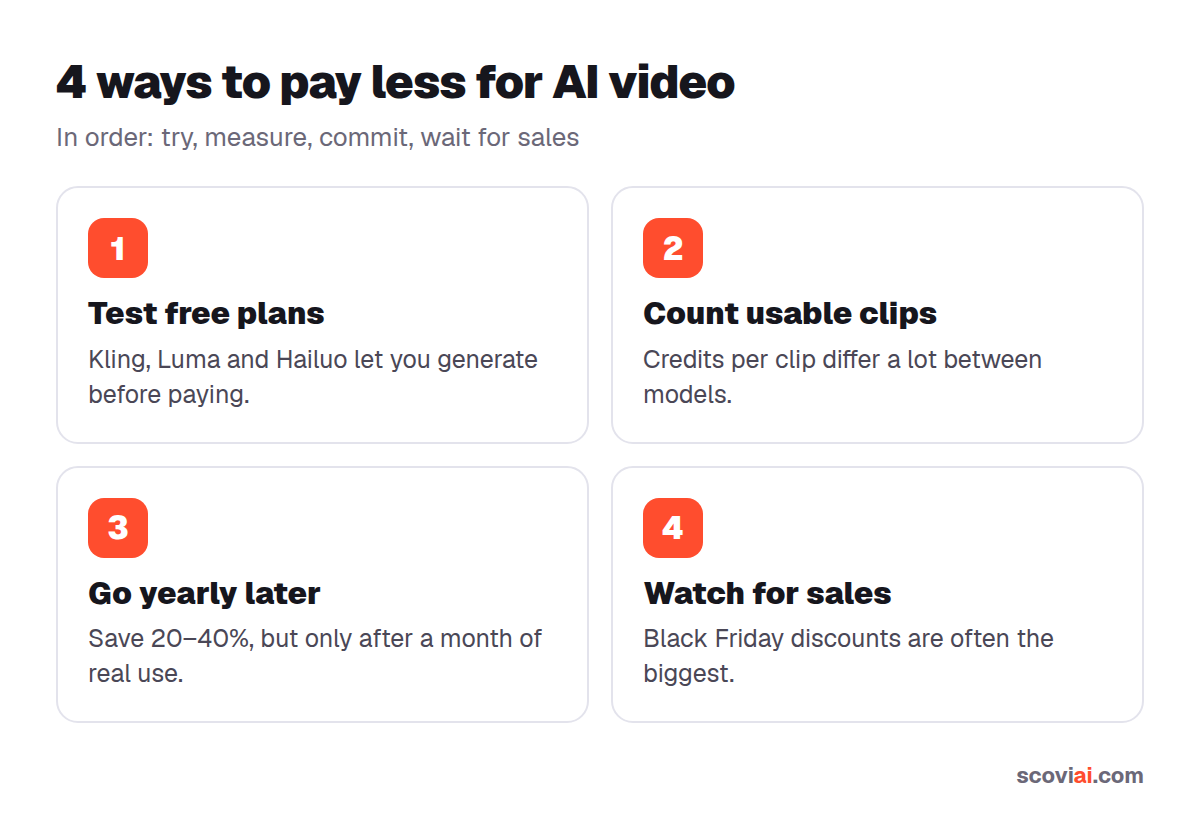
- Pay yearly only after a month of real use. Yearly billing saves 20–40% on most tools, but unused credits usually don't roll over.
- Use first-month offers to test, then decide. Kling's $6.99 first month is a cheap way to try a full plan.
- Stack free plans. Generating drafts on free tiers (Kling, Luma, Hailuo) and only paying for the final render saves a lot of credits.
- Watch for seasonal sales. Many AI tools run bigger discounts around Black Friday. We post them on ScoviAI as soon as they go live.
Our pick by budget
| Budget | Pick | Why |
|---|---|---|
| $0 | Kling, Luma or Hailuo free plans | Real video generation, watermarked |
| Under $10/mo | Kling Standard or Pika (yearly) | Lowest paid entry, enough credits to learn |
| $10–15/mo | Runway Standard (yearly) | Most complete toolset for the price |
| Many models | Higgsfield | One subscription instead of five |
Sources: official pricing pages of Runway, Kling, Pika, Luma, Hailuo, Higgsfield, Freepik and Krea, checked in October 2026.
Frequently asked questions
›What is the cheapest AI video generator?
Among the big names, Kling AI has the lowest paid entry: Standard is $8.80 a month (with a $6.99 first month for new subscribers). Pika Starter is $8 a month on yearly billing. Krea's Basic plan is even cheaper at $5.25 a month billed yearly, but it's a general creative suite rather than a video-only tool.
›Is there a free AI video generator?
Yes. Kling gives daily free credits, Luma Dream Machine has a free plan with draft-quality videos, and Hailuo AI lets you generate for free. Free videos carry a watermark and usually have lower resolution, so they're best for testing prompts.
›How much does Runway cost per month?
Runway Standard costs $15 a month, or $12 a month when billed yearly, and includes 625 credits a month. The free plan gives a one-time 125 credits.
›Are AI video credits the same across tools?
No. Every tool prices its models differently, and the same tool charges more credits for higher resolution, longer clips and premium models. Compare tools by testing the free plan with the clip you actually need.
›Is it cheaper to pay yearly for AI video tools?
Usually 20–40% cheaper, but only pay yearly after a month of real use. Unused monthly credits often don't roll over, so a yearly plan you don't use is not a saving.
Written by the ScoviAI team. We check prices on each seller's own pricing page and update our guides when plans change. Some links may be affiliate links; they never change our verdicts. How we work
Live deals for the tools in this guide
Luma Dream Machine free plan: try Photon images and Ray draft videos for $0
Luma Dream Machine · Image & Video ·