CapCut Pro Price 2026: $19.99 a Month or $179.99 a Year (Is It Worth It?)
ScoviAI TeamUpdated 5 min read
The short answer
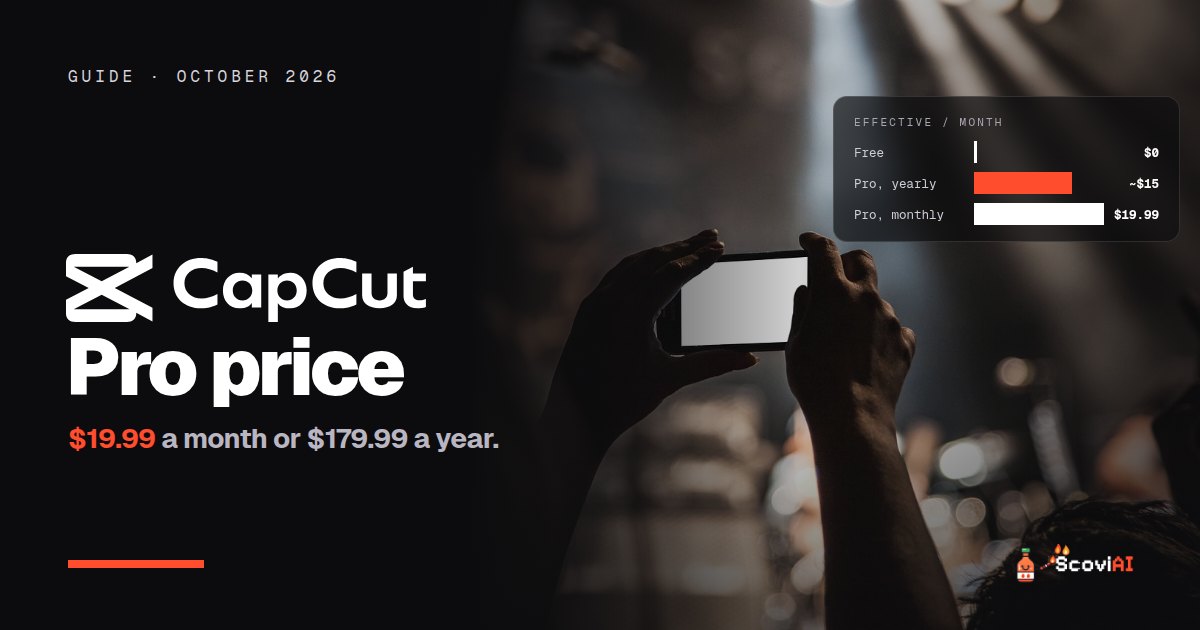
CapCut Pro costs $19.99 a month or $179.99 a year in the US, about $15 a month on yearly billing. Yearly subscribers get more monthly AI credits. Prices vary by region and platform, and the free version already exports 1080p without a watermark.The CapCut Pro price in the US is $19.99 a month or $179.99 a year. Paying yearly works out to about $15 a month and saves around $60 compared with 12 monthly payments. Annual subscribers also get more AI credits each month than monthly subscribers. Prices can differ by country and by where you buy (web, iPhone or Android), so always check the price shown in your own app before paying.
Quick answer: if you edit videos every week, the yearly plan at $179.99 is the better deal. If you only need Pro for one project, pay $19.99 for a month and cancel. And try the free version first: CapCut says its free tier exports in 1080p without a watermark and includes core AI tools like auto captions.
CapCut Pro price at a glance (October 2026)
| Plan | Price (US) | Effective monthly cost | AI credits |
|---|---|---|---|
| CapCut Free | $0 | $0 | Limited |
| CapCut Pro, monthly | $19.99 a month | $19.99 | Monthly allowance |
| CapCut Pro, yearly | $179.99 a year | about $15 | More credits each month than monthly |
As of October 2026, from CapCut's help pages: How much does CapCut Pro cost and Do different Pro plans offer the same monthly credits?
What is CapCut?
CapCut is a free video editor for phones, desktop and the web, made by the company behind TikTok. It's popular with creators because it's fast and has AI features built in: auto captions, background removal, text to speech, noise reduction and AI effects. You can edit a Reel or a TikTok on your phone and finish it on your computer.
ADVERTISEMENT
What does CapCut Pro add?
The free version is generous, but Pro unlocks more:
- Premium effects, transitions, filters and stock assets that are marked Pro in the app.
- Advanced AI tools and a monthly allowance of AI credits for generative features.
- Higher export quality, up to 4K where available.
- Cloud storage for projects across devices.
CapCut's own guides say the core AI toolkit for editing, captions and enhancement stays free, so many casual creators never need Pro.
Monthly vs yearly: which CapCut Pro plan is cheaper?
| Monthly | Yearly | |
|---|---|---|
| Cost for 12 months | $239.88 | $179.99 |
| Savings | — | about $60 (25%) |
| Monthly AI credits | Standard | Higher |
| Flexibility | Cancel any month | One payment for the year |
The yearly plan is cheaper and comes with more AI credits, but you pay upfront. Our CapCut Pro yearly deal tracks this price.
How CapCut Pro credits work
According to CapCut's credit rules:
- Subscription credits last one billing cycle: 30 days on monthly plans and 365 days on yearly plans.
- Unused credits don't roll over. They expire at the end of the cycle.
- If you cancel, credits still work until the cycle ends. Cancelling takes effect from the next billing period.
- Gifted or promotional memberships may not include AI credits. CapCut says AI credits and extra cloud storage come with paid subscriptions or can be bought separately.
Why is CapCut Pro cheaper or more expensive for some people?
CapCut prices vary by region and platform. Buying in the iPhone or Android app can show a different price from the website, because app stores set their own pricing and fees. If you see a price different from $19.99 or $179.99, check where you're buying: the web price is often the simplest to compare.
How to get CapCut Pro cheaper
- Pay yearly if you'll edit for more than nine months. It's about 25% cheaper.
- Compare web and app prices before you subscribe.
- Cancel after a project. You keep Pro until the end of your billing period, so one month is enough for a single big project.
- Use free credits elsewhere. Dreamina, from the makers of CapCut, gives 120 free AI image and video credits every day.
There's no official public CapCut coupon code. Be careful with "CapCut Pro free" APKs and mod sites: they're unofficial and can put your phone and accounts at risk.
CapCut Pro alternatives
- Clipchamp: Microsoft's editor; its AI video editing tools are free for everyone, and Premium is $11.99 a month or $119.99 a year.
- Descript: edit video by editing the transcript, great for podcasts and talking-head videos; yearly billing is about 20% cheaper.
- Adobe Creative Cloud: Premiere for professional editing; students pay $19.99 a month in the first year.
For AI video generation (making clips from text), see our AI video generator pricing guide.
How to cancel CapCut Pro
CapCut says you can end your Pro subscription at any time through the platform where you bought it:
- Bought on the web? Cancel in your CapCut account settings on the website.
- Bought on iPhone or iPad? Cancel in your Apple ID subscriptions (Settings, then your name, then Subscriptions).
- Bought on Android? Cancel in the Google Play Store under Payments & subscriptions.
Deleting the app doesn't cancel the subscription. After you cancel, Pro and your remaining credits keep working until the end of the current billing period, and the cancellation takes effect from the next one. If you plan to switch from monthly to yearly, check CapCut's help page on changing plans first, so you don't pay for two plans at once.
Is CapCut Pro worth it for Instagram Reels and TikTok?
For short vertical videos, the free version already covers the essentials: trimming, captions, music, text and basic effects. Pro starts to pay off when you post several times a week and want premium effects, AI features and your projects synced between phone and computer. A good test is to edit your next five videos on the free version and note every time you hit a Pro feature. If it happens on most videos, the yearly plan is worth it.
Who should pay for CapCut Pro?
- Creators posting several videos a week who use premium effects, AI tools and cloud sync: the yearly plan pays off.
- Small businesses making product videos and ads: Pro's assets and AI features save time.
- Casual users making a few videos a month: stay on the free version.
Common mistakes with CapCut Pro
- Paying in the app without comparing the web price. The difference can be noticeable.
- Saving credits for later. Unused credits expire at the end of the billing cycle.
- Forgetting auto-renewal. Turn it off right after subscribing if you only need one month.
Is CapCut Pro worth the price?
At $179.99 a year (about $15 a month), CapCut Pro is fair value for regular creators, especially with the extra AI credits on the yearly plan. If you post occasionally, the free version, with watermark-free 1080p exports and auto captions, is enough. More editing tools are in our image & video deals.
Sources: How much does CapCut Pro cost; Do different Pro plans offer the same monthly credits?; Credit rules; Are my credits still valid after I cancel?; CapCut no watermark; checked in October 2026.
ADVERTISEMENT
Frequently asked questions
›How much is CapCut Pro?
In the US, CapCut Pro costs $19.99 a month or $179.99 a year. Prices can differ by region and platform.
›Is CapCut Pro cheaper yearly?
Yes. $179.99 a year works out to about $15 a month, around $60 less than 12 monthly payments, and yearly subscribers get more AI credits each month.
›Do CapCut Pro credits roll over?
No. Subscription credits last one billing cycle (30 days monthly, 365 days yearly) and expire at the end of it.
›Can I use CapCut for free without a watermark?
CapCut says its free version exports in 1080p without a watermark and includes core AI tools like auto captions.
›How do I cancel CapCut Pro?
Cancel on the platform where you bought it: CapCut's website, Apple ID subscriptions or Google Play. Your Pro benefits last until the end of the billing period.
Written by the ScoviAI team. We check prices on each seller's own pricing page and update our guides when plans change. Some links may be affiliate links; they never change our verdicts. How we work
Live deals for the tools in this guide
Adobe Creative Cloud Pro for students: $19.99/mo for the first year
Adobe Creative Cloud · Image & Video ·