Adobe Creative Cloud Student Discount 2026: $19.99 a Month for Every App
ScoviAI TeamUpdated 5 min read
The short answer
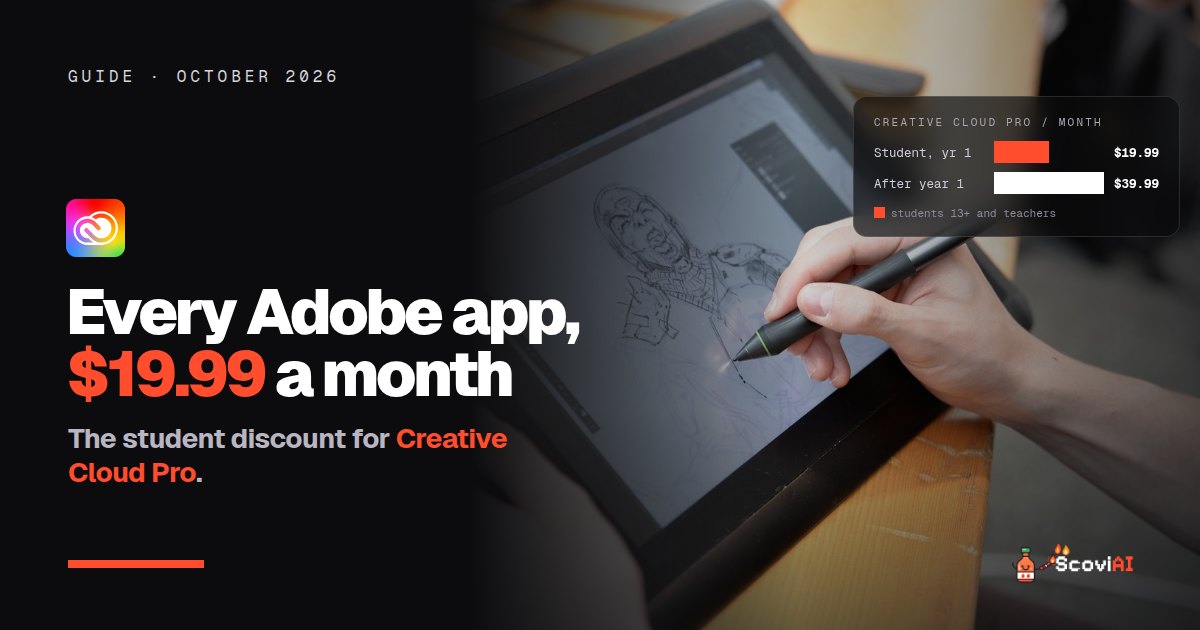
Students and teachers pay $19.99 a month for the first year of Creative Cloud Pro, with Photoshop, Illustrator, Premiere, Acrobat Pro and 20+ apps. It's an annual plan, the price rises to $39.99 a month after year one, and you verify with your school email.The Adobe Creative Cloud student discount gives students and teachers Creative Cloud Pro for $19.99 a month for the first year, instead of the regular education renewal price of $39.99 a month. That's Photoshop, Illustrator, Premiere, Acrobat Pro, Adobe Express and more than 20 other apps, with Adobe's generative AI features built in. You need to be at least 13 years old and enrolled at an eligible school, and you verify with your school email.
Quick answer: buy Creative Cloud Pro from the Adobe students page and enter your school email at checkout. The intro price is $19.99 a month on an annual plan billed monthly (or $239.88 prepaid for the year). From year two, it's $39.99 a month.
Adobe Creative Cloud student discount at a glance (October 2026)
| First year | After the first year | |
|---|---|---|
| Creative Cloud Pro, students and teachers | $19.99 a month (annual plan) | $39.99 a month |
| Prepaid option | $239.88 for the year | — |
| Apps included | Photoshop, Illustrator, Premiere, Acrobat Pro, Adobe Express and 20+ more | Same |
| Who can buy | Students 13+ and teachers at eligible schools | Same |
As of October 2026, from Adobe's student page and the Creative Cloud education FAQ.
What's included in Creative Cloud Pro?
Adobe Creative Cloud Pro is Adobe's all-apps plan. For students, the most useful parts are:
- Photoshop for photo editing and graphics.
- Illustrator for logos, icons and illustrations.
- Premiere for video editing.
- Acrobat Pro for editing, signing and combining PDFs, handy for every class.
- Adobe Express for quick social posts, flyers and presentations.
- Generative AI features throughout the apps, such as generating and editing images with Firefly.
ADVERTISEMENT
Who is eligible for the Adobe student discount?
According to Adobe's education FAQ, you must be at least 13 years old and enrolled in a primary or secondary school, college, university, homeschool or alternative education program. Teachers and staff at accredited schools qualify for the same price.
Adobe verifies your status through the school-issued email you give at purchase. School emails can end in .edu, .k12 or another domain your school sponsors. If you don't have one, or it can't be verified, Adobe may ask for proof after purchase, such as a school ID card, report card, transcript or tuition bill.
How to get the Adobe Creative Cloud student discount, step by step
- Go to the Adobe students page and choose Creative Cloud Pro.
- Pick monthly billing on the annual plan ($19.99 a month) or prepay $239.88 for the year.
- Enter your school email when asked. Adobe uses it to verify you.
- Upload proof if Adobe asks for it, for example a current student ID.
- Set a calendar reminder for month 11. The price rises to $39.99 a month after the first year.
The same details are on our Adobe Creative Cloud student deal.
The fine print: what to watch out for
- It's an annual plan. "$19.99 a month" is billed monthly, but you're committing to a year. Cancelling early can come with a fee, so read the terms at checkout.
- The intro price is for first-time members only. Adobe says the student and teacher intro price is limited to first-time membership, bought directly from the Adobe Store or Adobe Sales.
- Year two costs twice as much. At $39.99 a month, a second year costs about $480. Decide before renewal whether you still need every app.
How to save on Adobe after the first year
- Check whether your school provides Adobe. Many universities license Creative Cloud for students; ask your IT department before paying anything.
- Switch to fewer apps. If you only use one or two apps, a single-app plan may cost less than the all-apps plan.
- Use free alternatives for simple work. Adobe Express is free for US K-12 teachers and students, and Adobe Firefly gives everyone free daily AI generations.
Adobe vs free alternatives for students
You don't always need Creative Cloud. Depending on your course:
- Interface design: Figma gives students its Professional plan for free.
- Social graphics and presentations: Canva is free for K-12 schools, and Adobe Express has a free plan.
- Video editing: CapCut and Clipchamp have free versions that cover most class projects.
If you study graphic design, photography, film or architecture, Creative Cloud is still the industry standard, and the student price is the cheapest way to learn it.
Which Adobe apps do students actually need?
Creative Cloud Pro includes more than 20 apps, but most students use only a few. Here's what's typically used by field of study:
| If you study | The apps you'll use most |
|---|---|
| Graphic design | Illustrator, Photoshop, InDesign |
| Photography | Photoshop, Lightroom |
| Film and media | Premiere, After Effects, Audition |
| Marketing and communications | Adobe Express, Photoshop, Premiere |
| Architecture and interior design | Photoshop, Illustrator, InDesign for portfolios |
| Any course | Acrobat Pro for PDFs, Adobe Express for presentations |
If your list has three or more apps, the all-apps student plan is almost always the better value. If it's one app, compare a single-app plan before buying.
Is there an Adobe discount for teachers?
Yes. Teachers and staff at accredited schools pay the same intro price as students: $19.99 a month for the first year of Creative Cloud Pro, then $39.99 a month. Adobe verifies teachers through their school email the same way. Schools can also license Creative Cloud for whole classes, which is often cheaper per person; ask your school's IT team.
How the Adobe student price compares with other AI tools
At $19.99 a month, Adobe's first-year price is about the same as one $20 AI assistant subscription. The difference is what you get: a whole set of professional apps with AI built in. If you also need a chatbot, US college students can get Google AI Pro free for 12 months, so you don't have to pay for both.
Is the Adobe student discount worth it?
For creative students, yes. At $19.99 a month you get the full set of professional apps for half the education renewal price, plus AI features in every app. Just be clear about the annual commitment and the higher price from year two. If you only need graphics or presentations, start with the free tools above.
More discounts are in our AI student discounts guide, and AI video tools are compared in our AI video generator pricing guide.
Sources: Adobe Creative Cloud Pro for students and teachers; Creative Cloud for students and teachers FAQ; Adobe education FAQ; checked in October 2026.
ADVERTISEMENT
Frequently asked questions
›How much is Adobe Creative Cloud for students?
Creative Cloud Pro costs students and teachers $19.99 a month for the first year on an annual plan, or $239.88 prepaid. After that it renews at $39.99 a month.
›Who is eligible for the Adobe student discount?
Students aged 13 or older at a primary or secondary school, college, university, homeschool or alternative education program, and teachers at accredited schools.
›How does Adobe verify students?
Through the school-issued email you enter at purchase. If it can't be verified, Adobe may ask for a school ID, report card, transcript or tuition bill.
›Can I get the student price again after the first year?
The intro price is for first-time members only. From year two the education price is $39.99 a month.
›Is there a free Adobe option for students?
Adobe Express is free for US K-12 teachers and students, and Adobe Firefly gives everyone free daily AI generations.
Written by the ScoviAI team. We check prices on each seller's own pricing page and update our guides when plans change. Some links may be affiliate links; they never change our verdicts. How we work
Live deals for the tools in this guide
Adobe Creative Cloud Pro for students: $19.99/mo for the first year
Adobe Creative Cloud · Image & Video ·
Adobe Express is free for US K-12 teachers and students
Adobe Express · Image & Video ·
Adobe Firefly: free daily AI image generations
Adobe Firefly · Image & Video ·