Notion Student Discount 2026: How to Get Notion Plus Free (and What About Notion AI?)
ScoviAI TeamUpdated 5 min read
The short answer
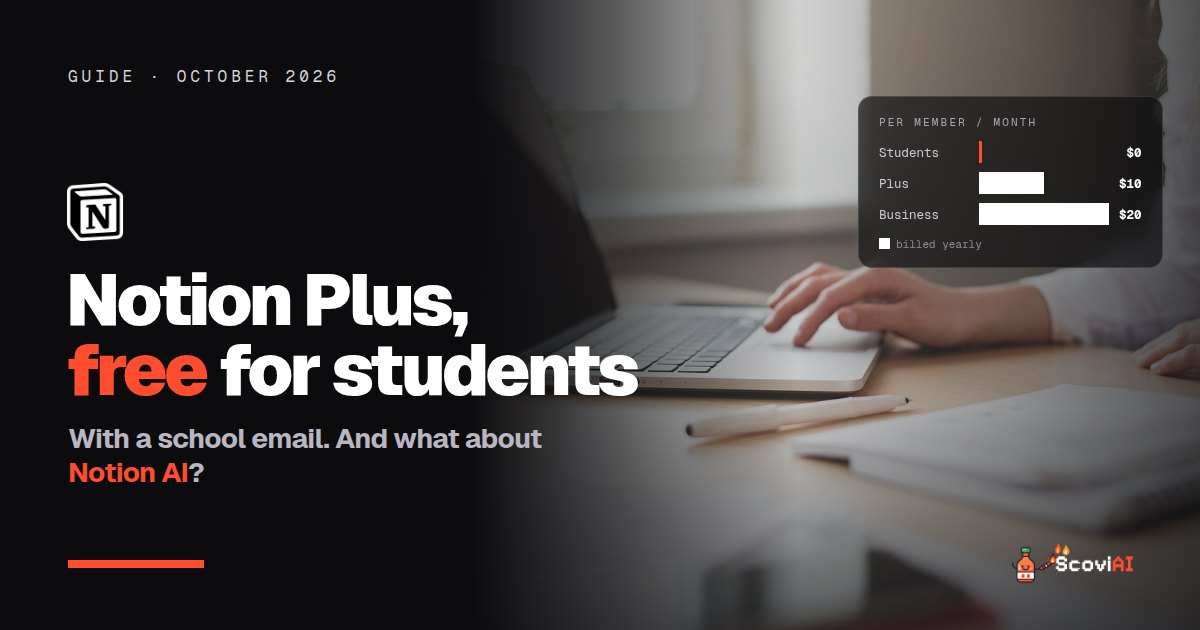
Notion's student discount is 100% off: the Education Plus plan gives students and educators the Plus plan free on a one-member workspace with a school email. Full Notion AI comes only with the Business plan.The Notion student discount is a full 100% off: students and educators get the Notion Plus plan free through the Education Plus plan, as long as they sign in with a school email and use a one-person workspace. Normally Plus costs $12 a month (or $10 a month billed yearly), so the free plan is worth up to $144 a year. The one thing it doesn't include is unlimited Notion AI, which comes with the Business plan.
Quick answer: sign in to Notion with your school email, open Settings → Billing, scroll down and choose Get free Education plan. It takes about two minutes, works with thousands of school email domains (not only .edu), and you re-verify once a year.
What the Notion student discount includes
Notion's Education Plus plan is the regular Plus plan, free, for individual students and teachers. Compared with the Free plan, you get:
- Unlimited pages and blocks for all your courses and projects.
- Bigger file uploads, useful for lecture slides and PDFs.
- More guests for group projects.
- 30 days of page history, so you can restore a page you broke the night before a deadline.
- More options to customize and publish pages as a website, for example a portfolio.
The rules: you must be a student or educator at an accredited college or university, signed in with your school email, and the workspace must have only one member. If you add a second member, the free plan no longer applies.
How to get Notion for free as a student, step by step
- Create a Notion account with your school email, or add your school email to your existing account.
- Open Settings, then Billing.
- Scroll down and click "Get free Education plan".
- Keep the workspace to one member. Use guest invites for group work instead of adding members.
- Re-verify once a year with your school email to keep the plan.
If the button doesn't appear, Notion's help center has a page for when you can't upgrade to Plus for education. The most common causes are signing in with a personal email or having more than one member in the workspace.
ADVERTISEMENT
Does the free student plan include Notion AI?
Only a little. On the Free and Plus plans, Notion AI is limited and meant for trying it out. Full Notion AI, including Notion Agent, AI Meeting Notes and Enterprise Search, is included with the Business plan at $20 per member per month billed yearly. Students rarely need Business, so the realistic setup is:
- Notion Education Plus (free) for notes, tasks and projects.
- A free or student-priced AI assistant for the heavy AI work. Google AI Pro is free for 12 months for US college students, and Perplexity Education Pro costs $10 a month.
If you run a startup rather than study, Notion for Startups offers up to 6 months of the Business plan free, with Notion AI included.
Notion prices in 2026 (if you're not a student)
| Plan | Monthly billing | Yearly billing | Notion AI |
|---|---|---|---|
| Free | $0 | $0 | Limited trial |
| Plus | $12 per member | $10 per member a month | Limited trial |
| Business | — | $20 per member a month | Included |
| Enterprise | Custom | Custom | Included |
Prices as of October 2026, from Notion's pricing page. Teams that need Plus can save $24 per member a year by paying yearly.
Free alternatives to Notion for students
Notion isn't the only workspace with a student plan. If you prefer something else, or need a team plan for a club, these are free too:
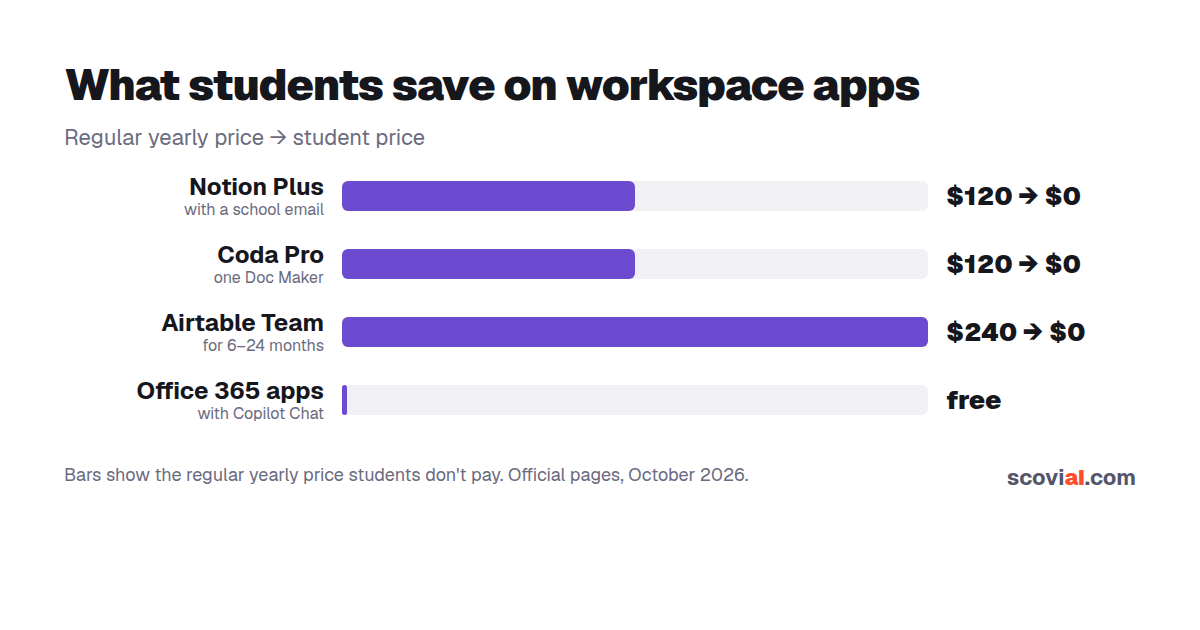
- Coda: students and teachers get a free annual Pro plan for one Doc Maker (a $120 value) for as long as they're in education, or 80% off a Pro or Team plan for groups. Coda AI is included in paid plans.
- Airtable: college students can apply for a free Team plan for 6 to 24 months, depending on their graduation date, and a .edu email unlocks a 120-day Team trial right away.
- Office 365 Education: free web versions of Word, Excel, PowerPoint and OneNote, plus Microsoft's Copilot Chat, with a school email.
- Knowt: a free study app with unlimited flashcards and notes; its paid Ultra plan adds unlimited AI summaries.
Notion vs Coda vs Airtable for students
All three are free for students, but they suit different work:
- Notion (Education Plus, free) is best for notes, class dashboards and personal planning. It's the easiest to start with.
- Coda (free Pro for students) is best if you like documents that act like apps, with buttons and automations, and its paid plans include Coda AI.
- Airtable (free Team plan for 6 to 24 months) is best for structured data: research databases, club membership lists or project trackers that a whole team edits.
Many students use Notion for themselves and Airtable or Coda for a club or a group project. Since all of them are free with a student account, you can try each one for a week and keep the one you actually open every day.
Is Notion's student plan worth it?
Yes, for almost every student. It costs nothing, takes two minutes and removes the limits that matter for coursework. The only students who should skip it are those who work mostly in shared team workspaces (where the free plan doesn't apply) or who want lots of built-in AI, which Notion reserves for Business.
5 ways students use Notion Plus
- A class dashboard: one page per course with the syllabus, deadlines and links to lecture notes.
- A reading and research tracker: a database of papers and sources with tags, status and quotes, ready for your bibliography.
- An assignment planner: a board or calendar view of every essay and exam, sorted by due date.
- Group project hubs: a shared page where classmates join as guests to add notes and tasks.
- A portfolio website: publish a page with your projects, CV and links, using Plus's publishing options.
All five work on the free Education Plus plan. Pair them with a free AI assistant for summaries and study questions, and keep Notion as the place where everything lives.
Common mistakes with the Notion student plan
- Using your personal Gmail. Only school emails qualify.
- Adding classmates as members. Invite them as guests; the free plan is for one-member workspaces.
- Forgetting to re-verify. Put a yearly reminder in your calendar, ideally right after you sign up.
- Paying for AI you won't use. Try Notion's limited AI first, then decide whether you need more.
Looking for more free tools? See our full AI student discounts guide and the Notion tool page for current Notion deals.
Sources: Notion for students & education; Notion pricing; Coda discounts for students and teachers; Airtable student plans; Office 365 Education; checked in October 2026.
ADVERTISEMENT
Frequently asked questions
›Is Notion free for students?
Yes. Students and educators at accredited colleges and universities get the Plus plan free through Notion's Education Plus plan, as long as they sign in with a school email and keep the workspace to one member.
›How do I get the Notion student discount?
Sign in with your school email, open Settings and then Billing, scroll down and choose Get free Education plan. You re-verify once a year with your school email.
›Does Notion's student plan include Notion AI?
Only a limited trial. Full Notion AI, including Notion Agent, AI Meeting Notes and Enterprise Search, is included with the Business plan at $20 per member per month billed yearly.
›Does it have to be a .edu email?
No. Thousands of school email domains are eligible, not only .edu addresses.
›How much is Notion Plus without the discount?
Notion Plus costs $12 per member per month on monthly billing or $10 per member per month billed yearly.
Written by the ScoviAI team. We check prices on each seller's own pricing page and update our guides when plans change. Some links may be affiliate links; they never change our verdicts. How we work
Live deals for the tools in this guide
Office 365 Education is free for students (with Copilot Chat)
Microsoft 365 Copilot · Productivity ·
Microsoft 365 Premium: $199.99/year instead of $19.99 a month
Microsoft 365 Copilot · Productivity ·
Microsoft 365 Personal with Copilot: $99.99/year vs $9.99 monthly
Microsoft 365 Copilot · Productivity ·