Gamma AI Pricing 2026: Free, Plus, Pro and Ultra Plans Explained
ScoviAI TeamUpdated 5 min read
The short answer
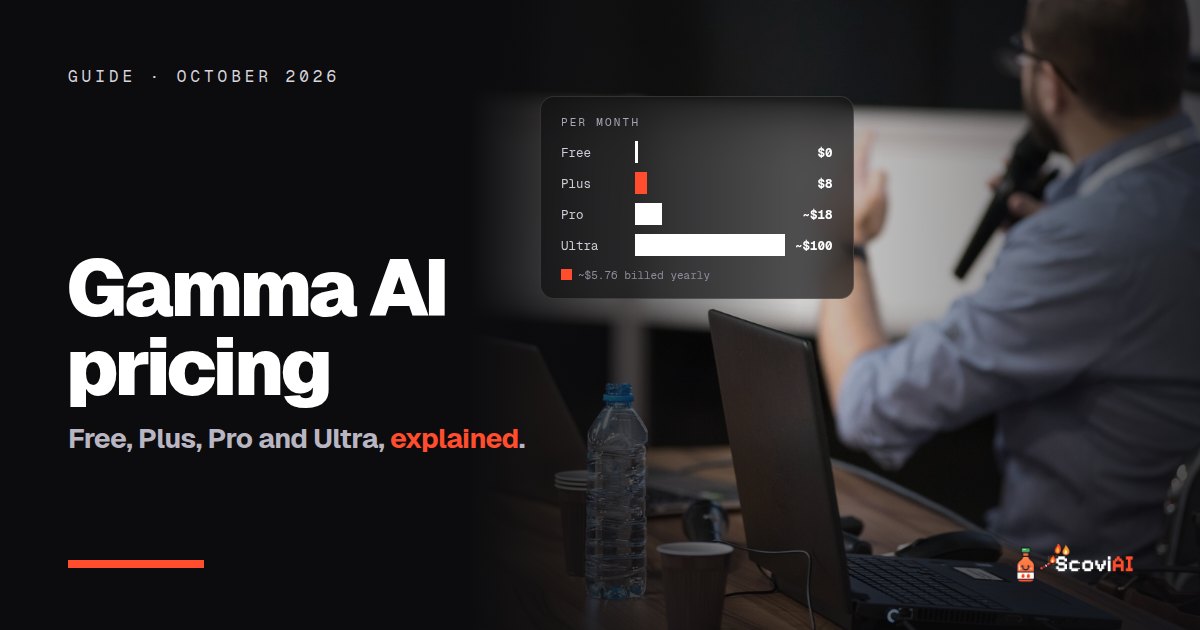
Gamma has a free plan, Plus at $8 a month (about $5.76 on yearly billing, 28% less), Pro at about $18 and Ultra at about $100 a month. Plans include 1,000, 4,000 and 20,000 AI credits a month, refilled monthly with roll-over up to double.Gamma AI pricing starts with a free plan, then Plus at $8 a month (about $5.76 a month on yearly billing, 28% less), Pro at about $18 a month and Ultra at about $100 a month, plus a Business plan for teams. Every plan runs on AI credits: Plus includes 1,000 credits a month, Pro 4,000 and Ultra 20,000. Credits refill every month, even on yearly plans, and unused plan credits roll over up to double your monthly amount.
Quick answer: for a few presentations a month, Plus on yearly billing (about $5.76 a month) is the best value. Choose Pro if you need to remove Gamma branding, generate long decks (up to 100 slides from one prompt) or use the API. Try the free plan first; it's enough to test a few decks.
Gamma AI pricing at a glance (October 2026)
| Plan | Monthly price | Monthly credits | Best for |
|---|---|---|---|
| Free | $0 | Starter credits | Trying Gamma |
| Plus | $8 (about $5.76 billed yearly) | 1,000 | Students and occasional presenters |
| Pro | about $18 | 4,000 | Freelancers, founders, branded decks |
| Ultra | about $100 | 20,000 | Heavy users and agencies |
| Business | Per member | 6,000 per member | Teams |
As of October 2026, from Gamma's pricing page, How do credits work in Gamma? and Gamma's own guide to choosing an AI presentation tool. Gamma lists annual prices 28% below monthly ones; always check the pricing page for the exact amount in your account.
What is Gamma?
Gamma turns a prompt, notes or a document into a presentation, document or simple website in about a minute. Instead of building slides one by one, you describe what you need and Gamma drafts the structure, text, layout and images. You then edit it like a normal deck and present or share it by link. It's become one of the most popular PowerPoint alternatives for people who want to go from idea to deck quickly.
ADVERTISEMENT
How Gamma credits work
Every AI action in Gamma, such as generating a deck, adding an AI image or rewriting a section, uses credits. Gamma's help center explains that:
- Credits refill monthly on both monthly and annual paid plans.
- Unused plan credits roll over, up to double your plan's monthly amount.
- You can buy more credits if you run out before the refill.
- Business members get 6,000 credits each per month, with the same roll-over rule.
So the yearly discount doesn't mean you get all your credits at once: you still get them month by month, just at a lower price.
What each paid plan adds
Plus ($8 a month, or about $5.76 billed yearly)
- 1,000 AI credits every month.
- More AI generation than the free plan, for regular presentations.
Pro (about $18 a month), according to Gamma's guide:
- 4,000 AI credits a month.
- Remove Gamma branding, add headers and footers, and password-protect decks.
- Premium image models for better AI images.
- Generate up to 100 slides from a single prompt.
- API access, custom domains (up to 10) and detailed analytics.
Ultra (about $100 a month)
- 20,000 credits a month for very heavy use.
Monthly vs yearly: how much does yearly save?
Gamma says annual plans include the same monthly credits at a 28% discount. For Plus, that's about $5.76 a month instead of $8, or roughly $69 a year instead of $96. Our Gamma Plus yearly deal tracks this price. If you'll make presentations for more than eight or nine months, yearly is cheaper.
Is the Gamma free plan enough?
For trying Gamma and making a few decks, yes. The free plan comes with credits to generate presentations, documents and websites. You'll notice the limits when you want to generate several decks a week, use premium AI images or remove Gamma branding. Start free, and upgrade only when you hit those walls.
Gamma vs other AI presentation tools
- Beautiful.ai: smart slide templates that keep designs tidy; Pro is $12 a month on yearly billing, with a 14-day free trial.
- Canva: presentations plus every other kind of design; free for K-12 schools through Canva Education.
- Microsoft 365 Copilot: PowerPoint with Copilot, included in Microsoft 365 Personal at $99.99 a year.
- Pitch and Google Slides: free options for simpler decks.
Gamma is usually the fastest from prompt to finished deck; Beautiful.ai and PowerPoint give you more control over the final design.
Which Gamma plan should you choose?
- Student or occasional presenter: Free, then Plus on yearly billing.
- Freelancer or founder sending decks to clients: Pro, mainly to remove Gamma branding and use premium images.
- Agency or team: Business, for shared workspaces and 6,000 credits per member.
- Heavy daily creator: Ultra, only if you regularly run out of Pro's 4,000 credits.
Tips to spend fewer Gamma credits
- Write a detailed first prompt. A clear outline gives a better first draft and saves regenerations.
- Paste your own notes. Generating from your text is more accurate than from a one-line idea.
- Edit by hand when it's quick. Small text changes don't need AI.
- Use credits before they cap. Roll-over stops at double your monthly amount.
Common mistakes with Gamma pricing
- Comparing the yearly price with another tool's monthly price. Compare like with like.
- Paying for Pro just for more credits. If you only need more credits, check whether buying extra credits on Plus is cheaper.
- Forgetting about branding. If clients will see your decks, Plus may not be enough; Pro removes Gamma branding.
Is Gamma worth paying for?
If you make presentations regularly, yes. Plus on yearly billing costs less than $6 a month, and Pro is the plan for client-facing work. Try the free plan first. More presentation and productivity tools are in our productivity deals, and if you write a lot for those decks, see our Grammarly Pro price guide.
Sources: Gamma plans and pricing; How do credits work in Gamma?; What options does Gamma offer for business?; Gamma guide to choosing an AI presentation tool; checked in October 2026.
ADVERTISEMENT
Frequently asked questions
›How much does Gamma cost?
Gamma has a free plan. Plus costs $8 a month (about $5.76 a month billed yearly), Pro about $18 a month and Ultra about $100 a month. Check gamma.app/pricing for the exact price in your account.
›Is Gamma free?
Yes. The free plan includes credits to create presentations, documents and websites. Paid plans add more credits and features.
›How do Gamma credits work?
AI actions use credits. Paid plans refill credits monthly, even on yearly billing, and unused plan credits roll over up to double your monthly amount.
›Does Gamma have a yearly discount?
Yes. Annual plans give the same monthly credits at a 28% discount.
›Which Gamma plan removes the Gamma branding?
Pro, according to Gamma's own guide, along with premium image models and API access.
Written by the ScoviAI team. We check prices on each seller's own pricing page and update our guides when plans change. Some links may be affiliate links; they never change our verdicts. How we work
Live deals for the tools in this guide
Office 365 Education is free for students (with Copilot Chat)
Microsoft 365 Copilot · Productivity ·
Microsoft 365 Premium: $199.99/year instead of $19.99 a month
Microsoft 365 Copilot · Productivity ·
Microsoft 365 Personal with Copilot: $99.99/year vs $9.99 monthly
Microsoft 365 Copilot · Productivity ·