Figma Student Discount 2026: Get Figma Professional Free (Step by Step)
ScoviAI TeamUpdated 5 min read
The short answer
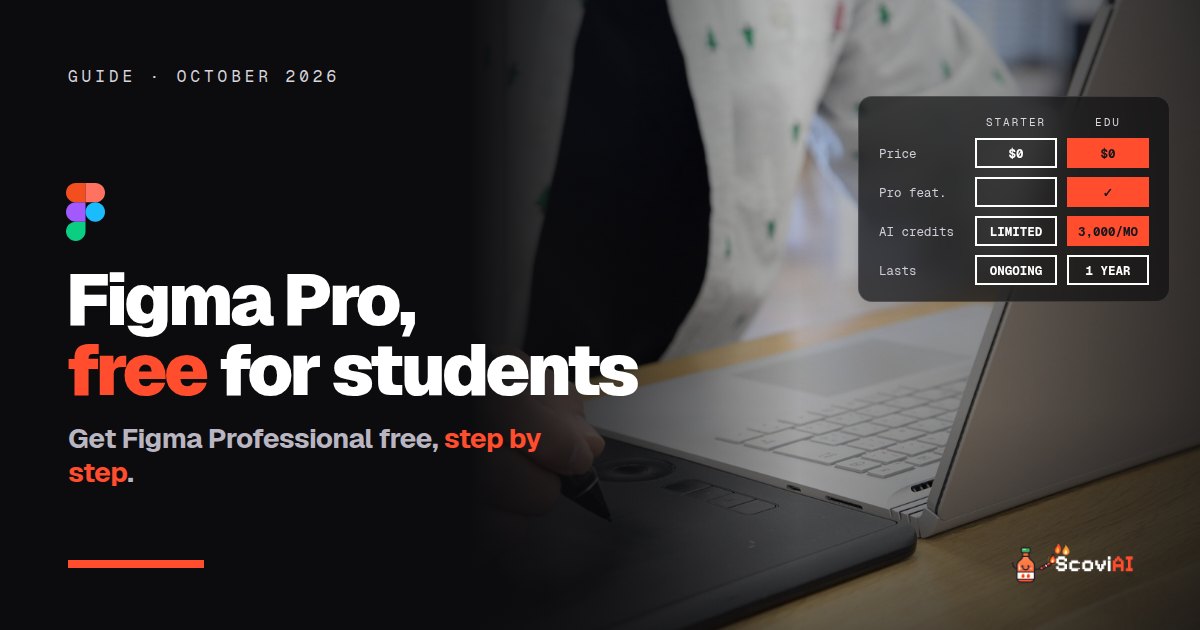
Figma's student discount is 100% off: students and educators get Professional features free in Education teams, plus 3,000 AI credits a month. Apply with your school email; student access lasts a year and can be renewed for free.The Figma student discount is 100% off: students and educators get Figma's Professional plan free through the Figma for Education program. You apply with your school email at figma.com/education/apply, and higher-education students verify through SheerID. Education plan users also get 3,000 AI credits a month for Figma's AI features. Student access lasts one year, and you can re-verify for free while you're still studying.
Quick answer: sign up for Figma with your school email, go to figma.com/education, choose your institution type (high school or higher ed), and complete verification. Once approved, create a free Education team to unlock Professional features.
Figma student discount at a glance (October 2026)
| Figma Starter (free) | Figma Education | |
|---|---|---|
| Price | $0 | $0 for verified students and educators |
| Features | Limited files and features | Professional features in Education teams |
| AI credits | Limited | 3,000 a month |
| Who can get it | Everyone | Students and educators at high schools, universities and structured courses |
| How long | Ongoing | One year for students, then re-verify |
As of October 2026, from Figma for Education and AI credits on the Education plan.
What is Figma?
Figma is the collaborative design tool used to design apps, websites and interfaces. Several people can work in the same file at once, comment, and hand designs over to developers. It now includes AI features that can help generate and edit designs, and Figma Make for turning prompts into working prototypes. For design, UX and computer science students, it's the industry standard to learn.
ADVERTISEMENT
Who is eligible for Figma for Education?
According to Figma's help center, you qualify if you're a current student or educator in a classroom and apply with your school email. That includes:
- High schools.
- Universities and colleges.
- Select online courses, bootcamps and workshops with structured, curriculum-based instruction.
Self-taught learners without a school or structured course aren't eligible, but they can still use Figma's free Starter plan.
How to get the Figma student discount, step by step
- Create a Figma account with your school email. Figma ties your education status to the email you verify with, so using your school address from the start avoids problems.
- Go to figma.com/education/apply.
- Choose your institution type. High school students select High school. University students select Higher ed and complete the SheerID verification.
- Wait for approval, then create a free Education team. That's where you get Professional features at no cost.
- Set a reminder for 11 months. Student access lasts one year; if you're still studying, you re-verify for free.
You can also follow the steps from our Figma Education deal, where members vote on the offer.
What do you get with Figma Education?
Education teams get Figma's Professional plan features for free. In practice, that means:
- Unlimited design files and projects in your Education team, instead of the Starter plan's limits.
- Team libraries for sharing components and styles across files.
- Version history for class projects and portfolios, so you can go back to earlier designs.
- 3,000 AI credits every month for Figma's AI features. If you use them up, AI actions pause until your next monthly reset.
Important rules to know
- Don't change your email after verifying. Figma's help center says that if you update the email address on your account after verification, your education status is revoked.
- Access isn't forever. Students get one year at a time. When it expires, you can re-verify at no cost, as long as you're still a student.
- Education teams are for learning. Use them for class projects and your own portfolio; client work belongs on a paid plan.
Figma vs other free design tools for students
Figma is the standard for interface design, but students have other free options too:
- Canva is free for K-12 teachers and students through Canva Education, great for presentations, posters and social graphics.
- Adobe Creative Cloud costs students $19.99 a month for the first year, and includes Photoshop and Illustrator.
- Framer is free for students and turns designs into live websites.
- Google Stitch designs app screens with AI for free.
Many design students use Figma for interfaces and Adobe or Canva for graphics. See our AI student discounts guide for more free tools.
How students get the most from Figma
- Build a portfolio in Figma. Recruiters for design and product roles expect to see Figma files and prototypes.
- Learn components and auto layout early. They save hours on every project and are what employers look for.
- Use AI credits for exploration, not final work. Generate ideas and variations, then refine them by hand.
- Work in shared files with classmates. Real-time collaboration is Figma's biggest strength; group projects are the best way to learn it.
Is Figma free for teachers too?
Yes. Educators apply through the same Figma for Education page with their school email. Anyone with verified education status can create free Education teams, so a teacher can set up a team for a class, invite students and share files, templates and libraries with everyone. That makes Figma a practical choice for design, computer science and media courses, because students get the same tool they'll later use at work.
Student project ideas to practice in Figma
If you've just unlocked Figma Education and don't know where to start, these projects teach the skills employers look for:
- Redesign an app you use every day. Pick one screen, list what's frustrating about it and design a better version.
- Design a mobile app from scratch for a club, a local business or a class assignment, then connect the screens into a clickable prototype.
- Build a small design system: colors, text styles, buttons and form fields as reusable components.
- Make a personal portfolio website in Figma first, then publish it with a tool like Framer.
Each one produces something you can show in an internship application.
Common problems with Figma student verification
- "Verification failed." Make sure you used your school-issued email and the right institution type. Figma's community forum has threads for manual verification requests if the automatic check doesn't work.
- "I already have a Figma account with a personal email." Your education status is tied to the email you verify with, so add or switch to your school email before applying, not after.
- "My access expired." Re-verify from your account. If you've graduated, your files stay, but Professional features end.
Is the Figma student discount worth it?
Yes. It's the full Professional experience for free, plus 3,000 monthly AI credits, for the most important tool in interface design. If you're studying design, UX, product or computer science, apply today. More free creative tools are in our image & video deals.
Sources: Figma for Education help article; Figma for Education; AI credits on the Education plan; checked in October 2026.
ADVERTISEMENT
Frequently asked questions
›Is Figma free for students?
Yes. Through Figma for Education, verified students and educators get Professional features free in Education teams.
›How do I get the Figma student discount?
Create a Figma account with your school email, apply at figma.com/education/apply, choose your institution type and complete verification (higher-ed students verify through SheerID).
›How long does Figma Education last?
Student access lasts one year. If you're still a student, you can re-verify for free.
›Does Figma Education include AI?
Yes. Education plan users get 3,000 AI credits per month.
›Can high school students get Figma for free?
Yes. High schools are eligible, as are universities and select structured courses and bootcamps.
Written by the ScoviAI team. We check prices on each seller's own pricing page and update our guides when plans change. Some links may be affiliate links; they never change our verdicts. How we work
Live deals for the tools in this guide
Adobe Creative Cloud Pro for students: $19.99/mo for the first year
Adobe Creative Cloud · Image & Video ·
Google Stitch: design app UIs with AI for free
Google Stitch · Productivity ·