Canva for Education 2026: Free Canva Pro Features for Teachers and Students
ScoviAI TeamUpdated 5 min read
The short answer
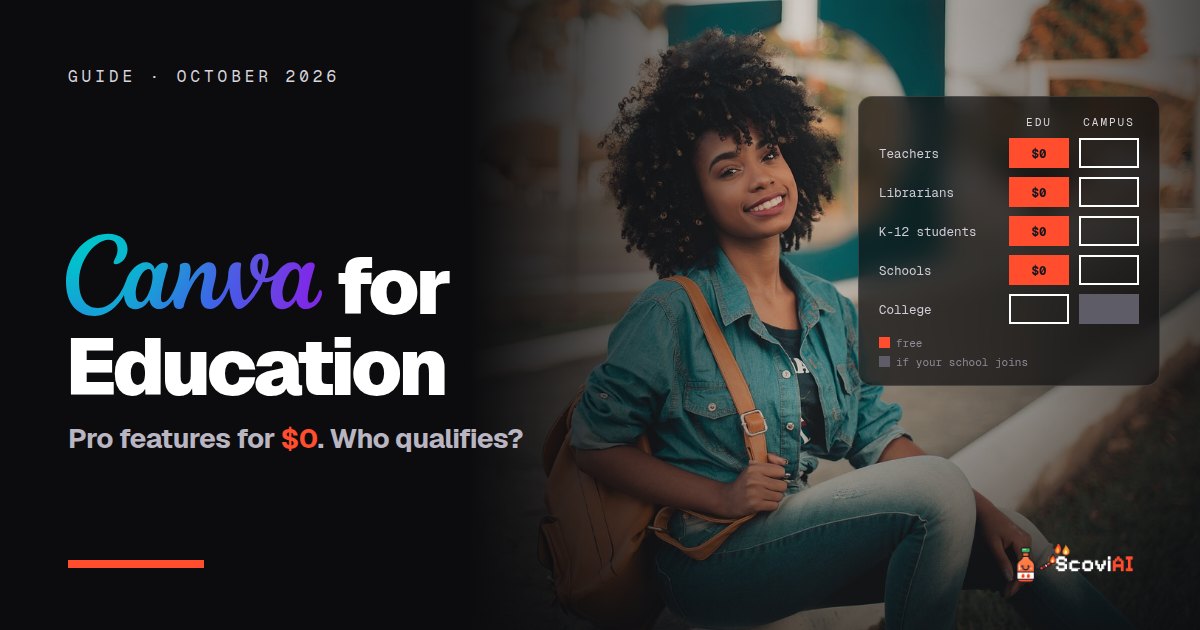
Canva for Education is free for K-12 teachers, librarians and their students, with most Canva Pro features, AI tools and classroom features. Students join through their teacher; college students may get premium access through Canva Campus.Canva for Education is 100% free for K-12 teachers, librarians and their students, as well as qualified schools and districts. It includes most of Canva Pro's premium features, including its AI design tools, plus classroom features such as LMS integrations and assignments. Teachers sign up and verify themselves; K-12 students join when their teacher or school invites them. College and university students aren't covered by Canva Education, but their school may offer free premium access through Canva Campus.
Quick answer: if you're a K-12 teacher, sign up at canva.com/education and verify that you teach. Then invite your students to your class. If you're a university student, start with Canva Free and ask your school whether it has Canva Campus.
Canva for Education at a glance (October 2026)
| Canva Free | Canva Education | Canva Campus | |
|---|---|---|---|
| Price | $0 | $0 | Free premium seats for students; the institution pays |
| Who it's for | Everyone | K-12 teachers, librarians, their students, schools and districts | Universities and colleges |
| Premium features | No | Most Pro features | Pro and premium features |
| How you join | Sign up | Teachers verify; students are invited | Rolled out by your institution |
As of October 2026, from Canva Education, Canva for Students and About Canva Campus.
What is Canva?
Canva is an online design tool for presentations, posters, worksheets, social media graphics, videos and more. It's built around templates and drag-and-drop editing, and it includes AI tools that can draft text, generate images and resize designs. Teachers use it for lesson materials; students use it for projects, presentations and portfolios.
ADVERTISEMENT
What's included in Canva for Education?
According to Canva, most of Canva's premium features are included, plus features made for classrooms:
- Premium templates, photos, graphics and fonts for lessons and student work.
- Canva's AI design tools, the same kind of tools Pro subscribers use.
- LMS integrations, so assignments connect with the learning platforms schools already use.
- Assignments and sharing, so teachers can share work with students and review what they make.
- Thousands of educational templates, from lesson plans to certificates.
Who is eligible for Canva for Education?
- K-12 (primary and secondary) teachers and librarians at qualifying schools.
- K-12 students, through their teacher or school.
- Qualified school districts and institutions.
Canva says Canva Education will remain 100% free for these groups. Higher education is handled differently: university and college students can use Canva Free and may get free premium access if their institution has Canva Campus, the institution-wide plan for universities.
How teachers get Canva for Education, step by step
- Go to canva.com/education and choose the option for teachers.
- Sign up with your school email if you have one.
- Verify that you're a teacher. Canva may ask for proof of employment at a K-12 school.
- Create a class and invite students with a link, a code or through your LMS.
- Start with a template. Search for the lesson, worksheet or presentation you need and adapt it.
The offer is also listed on our Canva Education deal, where members vote it hot or cold.
How K-12 students get Canva Pro features for free
Students can't verify on their own. Your teacher needs to invite you to join Canva Education. Once you accept, you get free access to Pro and premium features in your school account. If your teachers don't use Canva yet, show them this page: it's free for them too.
What about college students?
Canva Education is for K-12 only. If you're at a college or university:
- Check whether your school has Canva Campus. If it does, you get premium access automatically through your school account.
- Otherwise, use Canva Free. It covers most class presentations and posters.
- Look at free alternatives. Adobe Express has a free plan, and design students can get Figma's Professional plan free.
Canva for Education vs other free tools for teachers
Canva is one of several free tools that make teaching easier:
- Adobe Express is free for US K-12 teachers and students, with premium features included.
- Brisk Teaching adds free AI tools for feedback and lesson prep inside Google Docs and Chrome.
- Gemini for Education includes the Gemini app and Gemini Notebook free for schools on Google Workspace for Education.
- Gamma creates presentations from a prompt and has a free plan.
Canva Free vs Canva for Education: what changes in practice?
On Canva Free you can already make good-looking designs, but you'll keep running into small walls. Many of the best templates, photos and graphics carry a premium crown, and some of the most useful tools are reserved for paid plans. For a teacher preparing materials every week, those limits add up.
Canva for Education removes most of them at no cost:
- Premium templates and elements are unlocked, so you can use any lesson template you find instead of searching for a free version.
- Students work in the same premium account space, so a class project doesn't stall because one student hit a paywall.
- Classroom tools such as assignments and LMS integrations turn Canva from a design tool into part of your teaching workflow.
- The AI tools help you go from an idea to a first draft quickly, which matters most during busy weeks.
The trade-off is that Canva Education is meant for teaching and learning. For a personal business or freelance design work, you'd still use a personal Canva account.
Ideas for using Canva in the classroom
- Turn a lesson outline into slides with an AI-generated first draft, then add your own examples.
- Make differentiated worksheets by duplicating one design and adjusting the difficulty.
- Let students make infographics instead of written reports to summarize what they learned.
- Design classroom posters and certificates in minutes from education templates.
- Collect assignments in Canva, so students submit designs straight to your class.
Common questions from teachers
- Is it really free forever? Canva says Canva Education will remain 100% free for K-12 educators and their students.
- Do students need an email? Students join through your invitation, a class link or your school's LMS.
- Can I use it for my side business? Canva Education is for teaching and learning. Use a personal Canva account for anything else.
Is Canva for Education worth it?
If you teach K-12, yes: it's free, it includes most Pro features, and it saves hours of prep every week. If you're a university student, check for Canva Campus first. More free tools for schools are in our AI student discounts guide and our productivity deals.
Sources: Canva Education; Canva for Students; Canva for Teachers; About Canva Campus; checked in October 2026.
ADVERTISEMENT
Frequently asked questions
›Is Canva for Education really free?
Yes. Canva says Canva Education will remain 100% free for K-12 educators, their students and qualified schools and districts.
›Can students get Canva Pro for free?
K-12 students get free access to Pro and premium features when their teacher invites them to Canva Education. College students may get premium access through Canva Campus if their school has it.
›Is Canva for Education available for university students?
Not directly. Universities use Canva Campus, an institution-wide plan; if your school has it, you get premium access automatically.
›What's included in Canva for Education?
Most Canva Pro premium features, including AI design tools, plus classroom features like LMS integrations, assignments and educational templates.
›How do teachers sign up for Canva for Education?
Sign up at canva.com/education, verify that you teach at a K-12 school, then invite your students.
Written by the ScoviAI team. We check prices on each seller's own pricing page and update our guides when plans change. Some links may be affiliate links; they never change our verdicts. How we work
Live deals for the tools in this guide
Adobe Express is free for US K-12 teachers and students
Adobe Express · Image & Video ·